A Complete In-Depth Guide for Research, Writing, Coding & Productivity
Introduction: Why Gemini Advanced Needs a Proper Learning Curve
Most people think Gemini Advanced is just another AI chatbot. They open it, ask a few questions, get average answers, and then conclude that it is “overhyped.”
In reality, Gemini Advanced is not designed for one-line questions. It is designed for thinking workflows.
Gemini Advanced works best when you treat it as:
-
a research assistant,
-
a writing partner,
-
a learning guide,
-
and a problem-solving companion.
The difference between poor and excellent results does not come from the tool-it comes from how you use Gemini Advanced.
This article explains how to use Gemini Advanced effectively for daily tasks, not just what it can do.
What Is Gemini Advanced?
Gemini Advanced is Google’s high-capability AI model that focuses on deep reasoning, long-context understanding, and structured thinking.
Instead of just giving answers, Gemini Advanced can:
-
understand long instructions,
-
remember context across conversations,
-
analyze documents,
-
reason step-by-step,
-
and generate human-like explanations.
In practical terms, this means Gemini Advanced is most useful when:
-
the task has multiple steps,
-
the topic is complex or layered,
-
or the output needs logic, clarity, and structure.
This is why Gemini Advanced is especially powerful for research, writing, coding, and learning.
🔥 LinkedIn Premium Business Plan 12 Months
Original Price ₹23,000 • Get it ₹8XXX
🤖 Gemini AI Advanced Pro Plan
Original Price ₹19,500 • Get it ₹8XXX
💼 LinkedIn Sales Navigator Core
Original Price ₹80,000 • Get it ₹2XXXX
🎨 Canva Pro Lifetime Access
Original Price ₹3,999 • Get it ₹4XX
📚 Coursera Plus Annual Plan
Original Price ₹33,000 • Get it ₹2XXX
✨ Adobe Creative Cloud All Apps
Original Price ₹59,000 • Get it ₹4XXX
How to Use Gemini Advanced for Research
Research is where Gemini Advanced truly shines-but only if used correctly.
Most users ask research questions like a Google search:
“AI trends 2025”
This produces shallow output.
The Correct Research Mindset
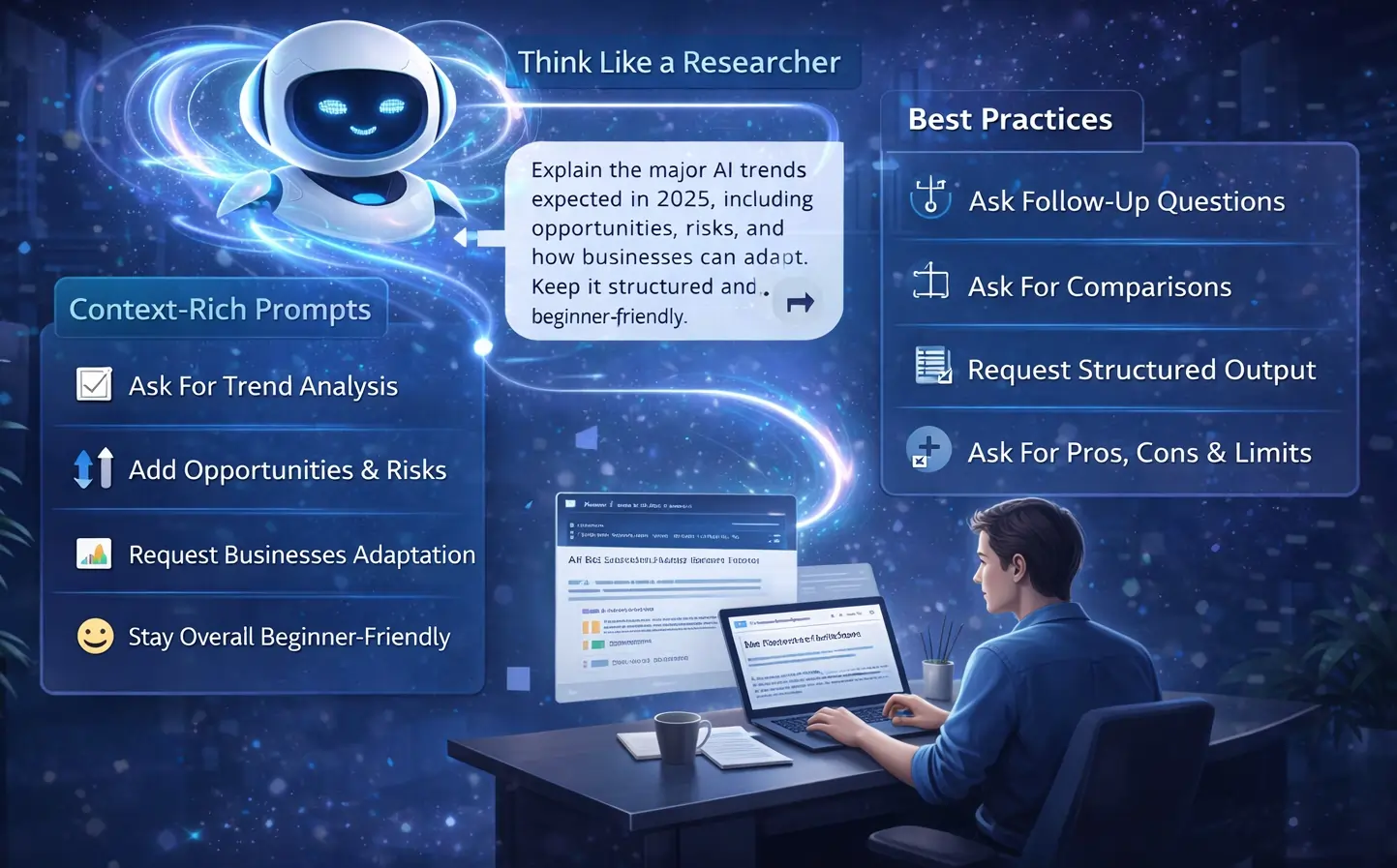
Instead, think like a researcher. Research is not about answers-it is about understanding patterns, causes, implications, and limitations.
How Gemini Advanced Helps in Research
Gemini Advanced can:
-
break down complex topics into understandable layers,
-
compare viewpoints,
-
highlight trends,
-
identify risks and opportunities,
-
and summarize large ideas clearly.
Example of Effective Research Prompt
Instead of a short query, use:
“Explain the major AI trends expected in 2025, including opportunities, risks, and how businesses can adapt. Keep it structured and beginner-friendly.”
Now Gemini Advanced starts reasoning, not guessing.
Best Use Cases for Research
Gemini Advanced is extremely effective for:
-
academic topic understanding,
-
market research,
-
competitive analysis,
-
industry trend studies,
-
and concept exploration before decision-making.
If you guide it properly, Gemini Advanced becomes a thinking accelerator, not a shortcut.
How to Use Gemini Advanced for Writing (Proper Workflow)
Writing is another area where many users feel disappointed because they expect one-click perfection.
That is not how Gemini Advanced works.
Think of Gemini Advanced as a Co-Writer
A good writer does not write everything in one go. They:
-
plan,
-
outline,
-
draft,
-
refine,
-
and edit.
Gemini Advanced supports this exact workflow.
Step-by-Step Writing Process Using Gemini Advanced
First, ask for an outline.
Then, expand each section gradually.
Finally, refine tone, clarity, and flow.
For example:
-
Ask for a detailed outline
-
Expand one section at a time
-
Ask for examples or explanations
-
Refine language and readability
This approach produces human-quality writing, not AI-looking content.
Writing Tasks Where Gemini Advanced Excels
Gemini Advanced performs best in:
-
long blog articles,
-
educational content,
-
reports and guides,
-
structured explanations,
-
and SEO-focused writing (when instructed).
When you slow down and guide the process, Gemini Advanced delivers depth, not fluff.
🔥 LinkedIn Premium Business Plan 12 Months
Original Price ₹23,000 • Get it ₹8XXX
🤖 Gemini AI Advanced Pro Plan
Original Price ₹19,500 • Get it ₹8XXX
💼 LinkedIn Sales Navigator Core
Original Price ₹80,000 • Get it ₹2XXXX
🎨 Canva Pro Lifetime Access
Original Price ₹3,999 • Get it ₹4XX
📚 Coursera Plus Annual Plan
Original Price ₹33,000 • Get it ₹2XXX
✨ Adobe Creative Cloud All Apps
Original Price ₹59,000 • Get it ₹4XXX
How to Use Gemini Advanced for Coding (Beyond Just Code Generation)
Many people use AI for coding incorrectly by asking:
“Write code for X”
They copy the code, it breaks, and frustration follows.
Correct Way to Use Gemini Advanced for Coding
Gemini Advanced should be used as:
-
a coding tutor,
-
a debugging assistant,
-
and a logic explainer.
Where Gemini Advanced Adds Real Value
It helps you:
-
understand why a solution works,
-
debug errors logically,
-
optimize performance,
-
and learn programming concepts.
Example of Better Coding Usage
Instead of:
“Fix this code”
Use:
“Here is my code and the error message. Explain why the error is happening and how to fix it.”
This transforms Gemini Advanced into a learning tool, not just a shortcut.
How Students Should Use Gemini Advanced (Ethical & Effective Use)
Gemini Advanced is extremely useful for students-but misuse can harm learning.
Right Way for Students
Students should use Gemini Advanced to:
-
understand concepts,
-
simplify complex topics,
-
practice problem-solving,
-
and revise efficiently.
Wrong Way
Using Gemini Advanced to:
-
copy assignments,
-
generate answers blindly,
-
or skip learning.
Smart Student Workflow
A smart student uses Gemini Advanced to:
-
learn the concept,
-
see examples,
-
practice questions,
-
revise summaries.
Used this way, Gemini Advanced becomes a personal tutor, not a cheating tool.
🔥 LinkedIn Premium Business Plan 12 Months
Original Price ₹23,000 • Get it ₹8XXX
🤖 Gemini AI Advanced Pro Plan
Original Price ₹19,500 • Get it ₹8XXX
💼 LinkedIn Sales Navigator Core
Original Price ₹80,000 • Get it ₹2XXXX
🎨 Canva Pro Lifetime Access
Original Price ₹3,999 • Get it ₹4XX
📚 Coursera Plus Annual Plan
Original Price ₹33,000 • Get it ₹2XXX
✨ Adobe Creative Cloud All Apps
Original Price ₹59,000 • Get it ₹4XXX
Using Gemini Advanced for Daily Productivity
Beyond academic and professional tasks, Gemini Advanced is powerful for everyday thinking.
It can help you:
-
organize your day,
-
plan projects,
-
clarify decisions,
-
write emails,
-
and think through problems logically.
Why This Matters
Most productivity problems are not about time-they are about clarity.
Gemini Advanced helps you structure thoughts, which automatically improves productivity.
Why Most People Fail to Get Value from Gemini Advanced
The biggest mistake users make is treating Gemini Advanced like:
-
Google search, or
-
a magic answer machine.
Gemini Advanced is designed for interaction, not instant results.
Poor prompts create poor output.
Good prompts create clarity, depth, and value.
How to Use Gemini Advanced Effectively (Core Framework)
If you remember only one thing, remember this:
-
Be clear about your goal
-
Give context
-
Ask structured questions
-
Refine step by step
This framework works for:
-
research,
-
writing,
-
coding,
-
learning,
-
and planning.
Final Verdict- Is Gemini Advanced Worth It?
Gemini Advanced is not for casual users who want quick answers.
It is for people who:
-
think deeply,
-
work with complex tasks,
-
and want to improve output quality.
Used correctly, Gemini Advanced:
-
saves time,
-
improves thinking,
-
enhances learning,
-
and increases productivity.
Final Thought
Gemini Advanced does not replace human intelligence.
It amplifies it-but only when you slow down, guide it, and think with it.