If you are searching for Linkedin Sales Navigator Pricing, you are probably trying to answer one simple question: is this tool worth the money for the kind of work you do?
That is the right question.
Many people do not buy Sales Navigator just because it is a LinkedIn product. They buy it because they want better lead search, better targeting, and a better way to reach the right people. But before paying, most users want to know the same things:
- What is sales navigator cost?
- Is there a sales navigator monthly plan?
- What is linkedin sales navigator price in india like?
- How does it compare with Premium?
- Is Sales Navigator really worth it for solo users, teams, and startups?
This guide will answer all of that in a simple way.
This article will help you understand the pricing structure, value, plan differences, and buying decision so you can choose the right option without confusion. That is important because price alone does not tell the full story. A tool can feel expensive for one person and highly profitable for another.
This is why a good sales navigator subscription should be judged in context. If you are closing deals, building a pipeline, or doing outbound outreach, Sales Navigator may feel like a useful business tool. But if you are only checking LinkedIn once in a while, even the best plan can feel unnecessary.
So in this guide, we will cover:
| What this guide will help you understand | Why it matters |
| What Sales Navigator is | So you know what you are paying for |
| How the plans work | So you can compare monthly and annual options |
| Sales Navigator Core vs Advanced | So you can choose the right level |
| Sales Navigator vs Premium pricing | So you do not buy the wrong product |
| Whether it is worth it | So you can judge value, not just cost |
| Best option for India, startups, and small teams | So the advice feels practical |
What Is LinkedIn Sales Navigator and Who Is It For?
LinkedIn Sales Navigator is a sales-focused LinkedIn product made for people who want to find, organize, and track leads in a more serious way than regular LinkedIn allows. It is not built mainly for job seekers. It is built for people who sell, pitch, network for business, or build B2B relationships.

At a simple level, Sales Navigator helps users do three important things better:
- Find the right people
- Track target companies and leads
- Use insights to improve outreach timing and relevance
That is why it is popular with sales teams, founders, agencies, consultants, and business development people.
The reason many people look up Sales Navigator Cost is because the tool sits between normal LinkedIn use and serious prospecting. A free LinkedIn account is enough for casual networking. LinkedIn Premium can help with profile insights and broader networking. But Sales Navigator is for people who need deeper filters, better lead lists, account tracking, alerts, InMail, and team features. LinkedIn clearly separates Premium plans from Sales Navigator by saying Premium is for professionals and small business users, while Sales Navigator is built specifically for B2B sales work.
Who should use Sales Navigator?
Sales Navigator is usually a better fit for:
- B2B sales professionals
- SDRs and BDRs
- Founders doing outbound sales
- Agencies looking for clients
- Freelancers selling services
- Small business owners targeting decision-makers
- Startup teams building early pipeline
It is less useful for users who only want general LinkedIn visibility or occasional networking.
What makes Sales Navigator different from regular LinkedIn Premium?
The biggest difference is purpose.
LinkedIn Premium is broader. It can help with networking, profile visibility, and general professional use. Sales Navigator is narrower but deeper. It is more focused on lead search, account tracking, advanced filters, and sales workflow support.
That is why many people compare sales navigator vs Premium Pricing before buying. They want to know if they really need the sales-focused version or if Premium is enough.
Why do sales teams, founders, and recruiters want Sales Navigator?
They want it because time matters.
Instead of spending hours searching manually, many users want a cleaner system for finding likely buyers, building prospect lists, and staying updated on lead activity. When used properly, Sales Navigator can reduce wasted effort and make outreach more targeted.
That is the main reason people care about linkedin sales navigator pricing in the first place. They are not just buying software. They are buying better prospecting efficiency.
🔥 LinkedIn Premium Business Plan 12 Months
Original Price ₹23,000 • Get it ₹8XXX
🤖 Gemini AI Advanced Pro Plan
Original Price ₹19,500 • Get it ₹8XXX
💼 LinkedIn Sales Navigator Core
Original Price ₹80,000 • Get it ₹2XXXX
🎨 Canva Pro Lifetime Access
Original Price ₹3,999 • Get it ₹4XX
📚 Coursera Plus Annual Plan
Original Price ₹33,000 • Get it ₹2XXX
✨ Adobe Creative Cloud All Apps
Original Price ₹59,000 • Get it ₹4XXX
What Is the Current LinkedIn Sales Navigator Pricing?
When people search for sales navigator cost, they usually expect one clean number. But pricing is not always that simple. Sales Navigator is generally structured around plan type and billing choice. That means the final amount depends on things like:
- Whether you choose a monthly or annual billing cycle
- Which version of the product you choose
- Whether you are buying for one user or a team
- Whether LinkedIn shows any offer, trial, or local variation
So instead of thinking about price as one fixed number, it is better to think of it as a pricing model.
What is the sales navigator monthly plan?
The sales navigator monthly plan is for users who want flexibility.
This option is useful when:
- You want to test the tool first
- You only need it for a campaign period
- You are not ready for a long commitment
- You want to use it during your busiest sales months
A monthly plan can feel easier to start with because the entry decision feels lighter. But if you use the tool for a long time, monthly billing can often feel less efficient than annual billing.
What is LinkedIn Sales Navigator annual pricing?
LinkedIn Sales Navigator annual pricing is more suitable for users who know they will use the tool regularly.
This option is often better for:
- Ongoing outbound sales teams
- Agencies with steady prospecting needs
- Founders who rely on LinkedIn every month
- Companies building repeatable sales process
Annual billing usually works best when Sales Navigator is part of your normal workflow, not a short trial.
What is included in a Sales Navigator subscription?
A sales navigator subscription usually gives access to lead-focused features, such as advanced search and account insights. The exact feature set depends on the plan level. Users are not only paying for access. They are also paying for workflow improvement. That is why the value depends so much on usage.
What affects sales navigator cost?
The real value of sales navigator cost depends on these factors:
| Factor | How it changes value |
| Usage frequency | Daily users get more value |
| Sales cycle length | Longer cycles may benefit more from tracking |
| Team size | Team plans can improve shared workflow |
| Outreach method | Great for outbound and targeted prospecting |
| Deal size | Higher-value deals make the tool easier to justify |
So when you think about cost, do not ask only “how much is it?” Ask “what return can I get from it?”
Also Read – Cheap LinkedIn Premium: How to Get It at a Lower Price (Legit, Safe, and Worth It)
How Much Does Sales Navigator Cost in India?
A lot of users search for linkedin sales navigator price in india because they want location-based clarity. That makes sense. Buyers in India often compare tool costs differently. They think about exchange rate impact, payment comfort, business stage, and whether the tool fits local budgets.
The important thing is this: even when people search for linkedin sales navigator price in india, the better question is still about value.
What is the LinkedIn Sales Navigator price in India?
The exact number can change over time, so it is smarter to focus on the billing structure and usage fit rather than one fixed amount. For Indian users, the practical buying decision usually depends on:
- Whether the tool supports your business model
- Whether your outreach is local or global
- Whether your average lead value is high enough
- Whether you will use it enough each month
Why does the price in India feel different from global pricing?
For many users in India, software pricing feels different because business budgets are often tighter, especially for freelancers, solo founders, and early startups. That is why a plan that feels normal for a global sales team may feel expensive for an individual user in India.
But the opposite is also true. If one closed deal pays back many months of the tool cost, then the tool can still feel reasonable.
Which billing option gives better value for Indian users?
For many Indian users, the best value depends on use case:
- Monthly plan is often better for testing
- Annual plan is often better for full-time use
- Team plans are often better only when the team is already active in outbound sales
So if you are searching linkedin sales navigator price in india, do not stop at the number. Check whether your workflow can actually turn the subscription into results.
🔥 LinkedIn Premium Business Plan 12 Months
Original Price ₹23,000 • Get it ₹8XXX
🤖 Gemini AI Advanced Pro Plan
Original Price ₹19,500 • Get it ₹8XXX
💼 LinkedIn Sales Navigator Core
Original Price ₹80,000 • Get it ₹2XXXX
🎨 Canva Pro Lifetime Access
Original Price ₹3,999 • Get it ₹4XX
📚 Coursera Plus Annual Plan
Original Price ₹33,000 • Get it ₹2XXX
✨ Adobe Creative Cloud All Apps
Original Price ₹59,000 • Get it ₹4XXX
Which Sales Navigator Plan Should You Choose?
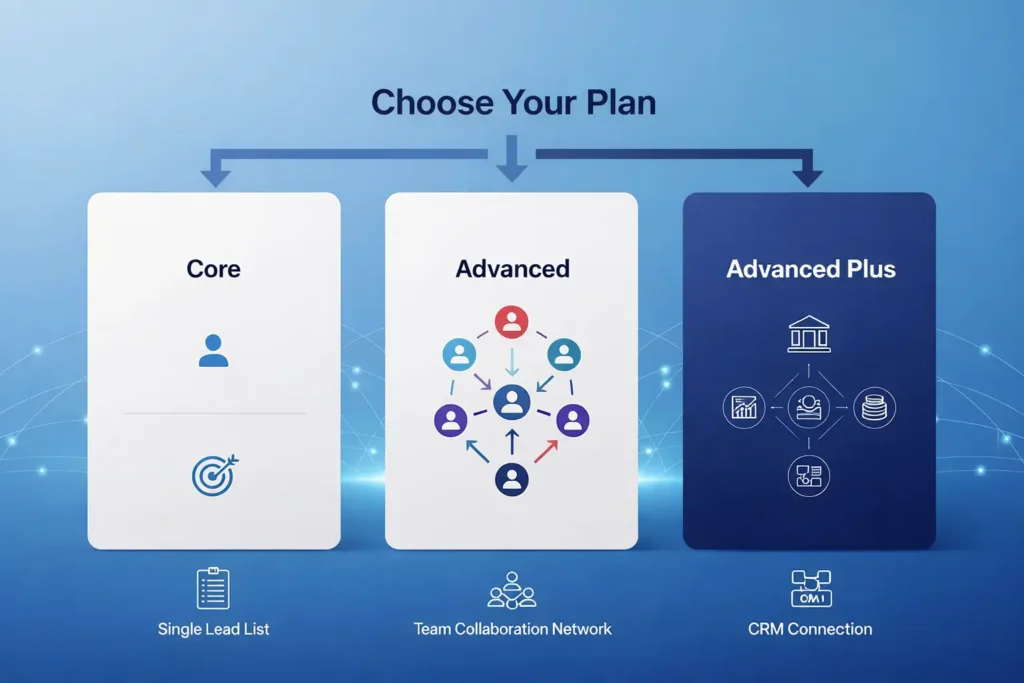
This is where many users get stuck. They know they want Sales Navigator, but they are not sure which version makes sense. The main comparison many users search is sales navigator core vs advanced.
Sales Navigator Core vs Advanced: what is the difference?
At a basic level, Core is usually better for individual users and small operators who need lead search and list building. Advanced is more suitable when team coordination, collaboration, shared workflow, or deeper organization features matter.
A simple way to think about it is this:
| Plan type | Best for | Main reason |
| Core | Individuals, freelancers, solo founders | Enough for focused personal prospecting |
| Advanced | Growing teams, agencies, structured sales units | Better for team-level process and scale |
Which plan is best for solo professionals?
If you are a freelancer, consultant, coach, or solo founder, Core is often the better place to start.
Why?
Because solo users usually care most about:
- Finding leads
- Saving leads
- Tracking target accounts
- Doing focused outreach
They usually do not need more team-heavy features at the beginning.
Which plan is best for teams and growing businesses?
Teams may benefit more from Advanced because team visibility and shared process start to matter once more than one person is prospecting seriously.
This is especially true for:
- Agencies
- B2B service companies
- SaaS sales teams
- Startup teams with outbound motion
Which plan is best for startups?
For startups, the answer depends on stage. If the founder is still doing early sales alone, Core may be enough.
If the startup has:
- multiple sales reps,
- defined ICP,
- active outbound targets,
- and a pipeline process,
Then Advanced may make more sense. That is why sales navigator cost for startups should always be judged against sales maturity, not just budget.
Also Read – LinkedIn Premium Plans – Complete Introduction & Foundation
How Does Sales Navigator Compare With LinkedIn Premium Pricing?
A lot of users think they need Sales Navigator when in reality LinkedIn Premium may already be enough for their goals. If someone mainly wants better profile visibility, a few extra insights, and general networking support, Premium often makes more sense. Sales Navigator is more useful for people who do regular lead generation, build prospect lists, and target decision-makers in a structured way. That is why sales navigator vs premium pricing is such an important comparison, because the right choice depends less on the price alone and more on how deeply you plan to use LinkedIn for sales.
Sales Navigator vs Premium pricing: what is the real difference?
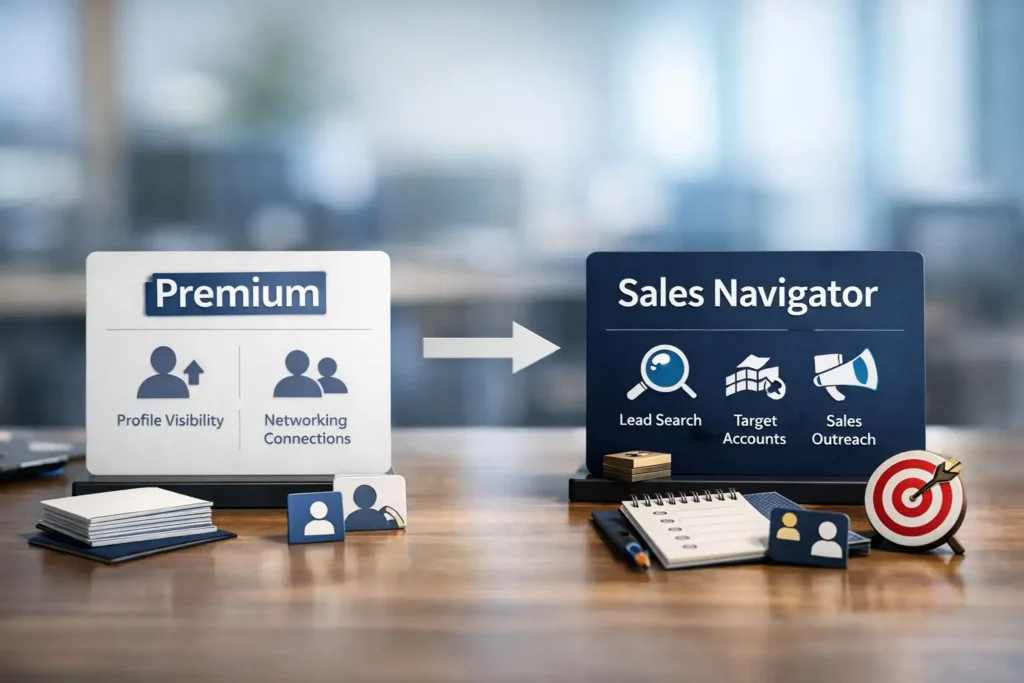
The real difference is not only in price. It is in the main job each product is built to do. LinkedIn Premium is made for wider professional use, so it supports general networking, profile growth, job search help, and basic account insights. Sales Navigator is built more for people who want to find leads, track accounts, and do focused outreach, which makes it a better fit for sales prospecting and B2B pipeline work.
If you mainly want:
- profile visibility,
- network growth,
- basic messaging support,
- and broader LinkedIn use,
Premium may be enough.
If you want:
- lead targeting,
- account-level tracking,
- better search filters,
- and serious outbound help,
Sales Navigator is usually the better fit.
Which one is better for lead generation?
Sales Navigator is usually better for lead generation because it is built for that exact use.That is why sales professionals often move from Premium to Sales Navigator once they outgrow casual networking.
Which one is better for networking and job search?
For networking and job search, LinkedIn Premium is usually the better choice because it is designed for professionals who want to grow connections, explore jobs, see useful profile insights, and reach people more easily without needing advanced sales tools. If your main goal is to build your career, connect with recruiters, and improve job search results, Premium is generally a better fit than Sales Navigator.
Why do many users upgrade from Premium to Sales Navigator?
They upgrade because they hit a limit. At first, LinkedIn Premium may feel enough. But when users start needing deeper targeting, cleaner lead lists, and more organized prospecting, they begin to see why Sales Navigator exists.
So before choosing between the two, ask this:
Do you want to network, or do you want to build pipeline?
That one question can save money and confusion.
🔥 LinkedIn Premium Business Plan 12 Months
Original Price ₹23,000 • Get it ₹8XXX
🤖 Gemini AI Advanced Pro Plan
Original Price ₹19,500 • Get it ₹8XXX
💼 LinkedIn Sales Navigator Core
Original Price ₹80,000 • Get it ₹2XXXX
🎨 Canva Pro Lifetime Access
Original Price ₹3,999 • Get it ₹4XX
📚 Coursera Plus Annual Plan
Original Price ₹33,000 • Get it ₹2XXX
✨ Adobe Creative Cloud All Apps
Original Price ₹59,000 • Get it ₹4XXX
What Do You Get With a Sales Navigator Subscription?
A sales navigator subscription gives you more than profile access. It gives you a more structured sales environment inside LinkedIn. The real value is not only in features but in how those features support daily work.
What features are included in the monthly and annual plans?
The core idea is that both monthly and annual billing give you access to the product, but billing style changes the cost structure, not the main purpose.
Users usually care about:
- Better lead search
- Better account search
- Lead and account saving
- Alerts and updates
- Prospect tracking
- Better outreach support
What lead search and account search tools do you get?
The biggest appeal of Sales Navigator is that it helps users narrow down who they want to target. That matters because broad search wastes time. Sales teams do better when they can focus on people who fit their buyer profile.
What alerts, lists, and insights are included?
This is one of the parts that helps users stay consistent. Instead of manually checking everything again and again, users can rely on lists and updates to stay aware of changes around their leads or accounts.
Which features matter most for B2B sales?
For B2B sales, the most useful benefits are often:
- Better targeting
- Better organization
- Better timing
- Better relevance
Those four things are what make many users feel the tool is useful enough to justify the sales navigator subscription.
Is Sales Navigator Worth It for the Price?
This is one of the most searched questions: is sales navigator worth it
The honest answer is: it depends on how you use it.
A bad user can waste the tool.
A serious user can get strong value from it.
Is Sales Navigator worth it for freelancers?
It can be a smart investment for freelancers, but only when LinkedIn is a real part of how they get clients. Freelancers such as B2B consultants, marketing service providers, recruiters, branding specialists, and agencies often work with higher-value projects, so even one good client can make the subscription feel worthwhile. In these cases, Sales Navigator can help them find decision-makers, build targeted prospect lists, and do more focused outreach instead of waiting for leads to come in. But freelancers who get most of their work through referrals, repeat clients, or freelance platforms may not see the same value, because they do not rely on LinkedIn enough to use the tool properly.
Is Sales Navigator worth it for startups?
It often is, but only when startups have a real sales plan.
If a startup buys the tool without:
- a target market,
- clear offer,
- outreach discipline,
- or sales process,
the subscription may feel wasted.
Is Sales Navigator worth it for agencies and sales teams?
Often yes, because these users usually have clearer prospecting goals and can use the tool more often.
Why do some users feel Sales Navigator is expensive?
Usually for three reasons:
- They bought it too early
- They did not use it enough
- They expected instant leads without process
When is Sales Navigator not worth it?
It may not be worth it when:
- You rarely do outbound sales
- Your target clients are not active on LinkedIn
- You do not have time to use it consistently
- Your average deal value is too low
- You only want basic LinkedIn use
That is why the question is sales navigator worth it should always be answered with your business model in mind.
Also Read – Cheap LinkedIn Premium: How to Get It at a Lower Price (Legit, Safe, and Worth It)
How to Choose Between Monthly and Annual Billing
Many users compare the sales navigator monthly plan with annual billing and feel unsure. The easiest way to decide is to match billing style with confidence level.
How does the sales navigator monthly plan help short-term users?
Monthly billing is useful when you want low commitment and more flexibility.
It is often best for:
- first-time users,
- temporary campaigns,
- short sales pushes,
- or testing before going deeper.
Why can annual billing be better for serious users?
If Sales Navigator is part of your weekly sales system, annual billing often makes more sense because it supports long-term use.
How to decide based on your sales cycle and budget
Use this simple guide:
| Your situation | Better option |
| You are new and unsure | Monthly |
| You only need it for a short campaign | Monthly |
| You prospect every week | Annual |
| Your team uses LinkedIn for pipeline | Annual |
| You want flexibility more than savings | Monthly |
This is one of the easiest ways to think about linkedin sales navigator annual pricing versus monthly billing.
What Is the Cheapest Way to Buy Sales Navigator?
Many users search for the cheapest way to buy Sales Navigator because they want to reduce cost without losing value. That is completely normal, especially for freelancers, startups, and small businesses that want to manage their budget carefully. But saving money should never mean taking risks with your account, payment, or access. A very low offer may look attractive at first, but if it comes from the wrong source, it can create bigger problems later. The smarter approach is to look for safe and reliable ways to save, so you get the benefits of Sales Navigator without putting your account at risk.
Is there a cheapest way to buy Sales Navigator safely?
Yes, but the safest low-cost path is usually one of these:
- use official trials if available,
- check in-account offers,
- choose the right billing cycle,
- buy only when you are ready to use it well.
Where can you look for official discounts or offers?
The safest place to check is always the official product flow inside your account or official promotional channels.
Why should you avoid risky or fake low-cost offers?
Because account safety matters.
A fake discount may lead to:
- login issues,
- account recovery problems,
- payment disputes,
- or service loss.
How to save money without putting your account at risk
Use these rules:
- Start only when you actually need it
- Use monthly if you are still testing
- Move to annual only if usage is proven
- Avoid unofficial sellers that look suspicious
- Compare with Premium before paying for Sales Navigator
That is the real answer to the cheapest way to buy sales navigator.
Sales Navigator Cost for Startups: Is It a Smart Investment?
The question of sales navigator cost for startups is not only about the subscription itself. For most early-stage startups, the bigger issue is timing. Many founders buy sales tools too early because they want faster growth, more leads, and a stronger pipeline. But a tool like Sales Navigator works best only when the startup already has some clarity around its offer, target audience, and outreach process. If those basics are still not clear, the subscription can feel like an extra expense instead of a real growth tool. That is why startups should first build a simple sales system, and then decide if Sales Navigator can truly improve results.
Why do startups consider Sales Navigator?
Because startups need:
- leads,
- meetings,
- pipeline,
- and better target discovery.
LinkedIn is often a strong place for B2B prospecting, so Sales Navigator becomes attractive.
What is the sales navigator cost for startups compared to hiring more SDRs?
For some startups, paying for one smart sales tool can make more sense than hiring extra people too early. A small team can use Sales Navigator to find the right leads, track target accounts, and build a steady outreach process without increasing payroll right away. This can help founders and early sales teams stay lean while still creating new business opportunities. But the value only comes when the team uses the tool regularly and has a clear sales plan behind it.
Which startup teams benefit the most from it?
Usually:
- B2B SaaS startups
- service businesses
- agencies
- outbound-led startups
- founder-led sales teams
How can startups measure ROI from Sales Navigator?
Startups should ask:
- How many qualified leads came from it?
- How many meetings did it support?
- Did it improve targeting?
- Did it reduce manual prospecting time?
- Did it help close business?
If the answer is yes in a meaningful way, then the tool may be worth the cost.
How to Know If You Really Need Sales Navigator
Many people want Sales Navigator, but not everyone needs it.
That is an important difference.
What type of user actually needs it?
You are more likely to need it if:
- you sell B2B,
- you do outbound,
- you target decision-makers,
- you need better prospect lists,
- and you use LinkedIn actively.
Who can stay with LinkedIn Premium instead?
You may not need Sales Navigator if:
- you mainly use LinkedIn for content and networking,
- you are job hunting,
- you rarely prospect,
- or your business comes mostly from referrals.
Which signs show you are ready to upgrade?
You may be ready when:
- regular LinkedIn search feels limiting,
- you need more sales structure,
- you are spending too much time finding leads,
- you want better account tracking,
- or your outreach process is becoming more serious.
Why buying too early can waste money
Because unused features do not create value.
The best time to buy is when the tool solves a real problem in your workflow.
How to Use Sales Navigator the Right Way After Buying
Even a strong tool can feel disappointing when the user does not have a clear way to use it. Sales Navigator is not the kind of tool that gives results just because you buy the subscription. Its real value comes when you use it with a proper process for searching leads, saving the right prospects, tracking accounts, and doing timely follow-ups. If someone logs in only once in a while or uses it without a target plan, the cost can feel high and the results can feel low. But when it becomes part of a regular sales workflow, Linkedin sales navigator pricing starts to feel much more justified because the tool supports real business action instead of just sitting unused.
How to set up your account for better lead searches
Start with clear targeting.
Know:
- who you want to reach,
- what type of company fits,
- what role titles matter,
- and what buyer profile you want.
How to build lead lists and account lists
Do not save random names. Build focused lists around your ideal client profile.
How to use alerts and insights to save time
Use alerts to stay timely. Reaching out when there is a relevant change or useful context can make your outreach stronger.
How to improve results so the subscription feels worth it
The best users usually follow a simple rhythm:
- search,
- save,
- track,
- reach out,
- follow up,
- review results.
That is how a tool becomes part of a repeatable sales system.
What Are the Pros and Cons of Sales Navigator Pricing?
No tool is perfect. The same is true here.
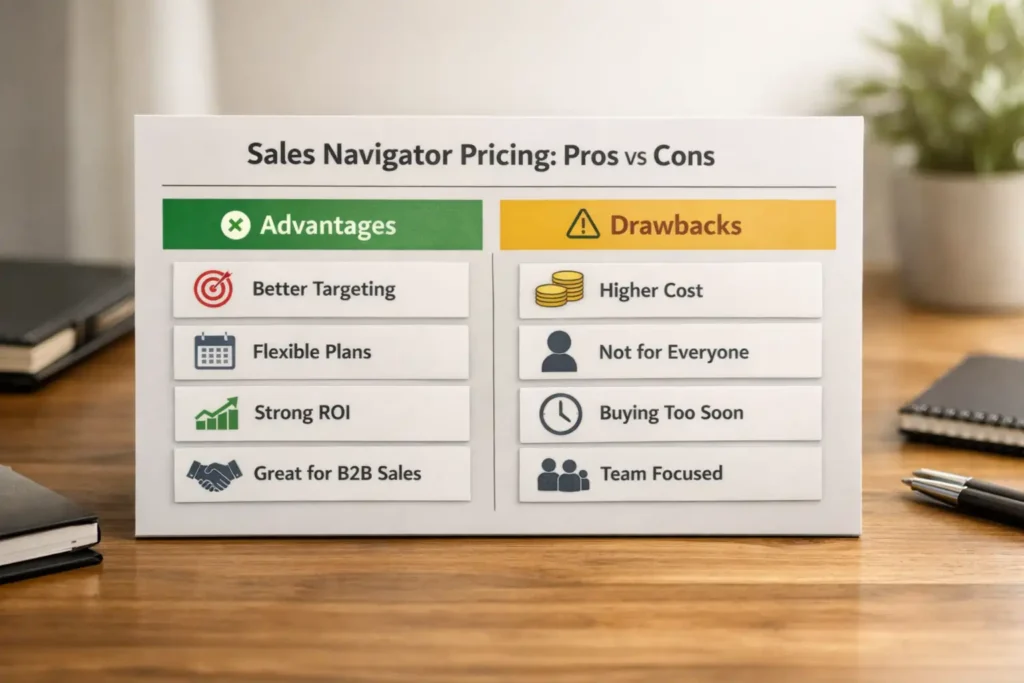
What are the biggest pricing advantages?
| Advantage | Why it matters |
| Better targeting | Helps reduce wasted prospecting time |
| Flexible plan choice | Monthly and annual paths suit different users |
| Strong value for active users | Frequent use improves ROI |
| Good fit for B2B sales | Better for serious lead generation |
What are the biggest pricing drawbacks?
| Drawback | Why it matters |
| Can feel expensive for light users | Low use makes value weak |
| Not ideal for everyone | Some users only need Premium |
| Easy to buy too early | New users may not be ready |
| Team plans may feel heavy for solo users | Scale matters |
Looking for Premium Tools in One Place?
If you are exploring premium digital tools for work, design, productivity, or AI use, PremiumToolsHub (premiumtoolshub.in) presents itself as a platform that offers access to premium digital tools and services in one place, often with discounted pricing, invoice support, and customer assistance.
Before buying any subscription-based service, it is always smart to review the platform terms, product access model, and official service rules carefully. For example, LinkedIn’s Subscription Agreement says that customers may not resell or transfer access to LinkedIn services without LinkedIn’s written consent. So, users should always verify what they are buying and make informed decisions.
Frequently Asked Questions About LinkedIn Sales Navigator Pricing
What is the difference between Sales Navigator Core and Advanced?
Core is usually better for individual users. Advanced is usually better for growing teams that need more structured collaboration.
Is there a Sales Navigator monthly plan?
Yes, many users choose the sales navigator monthly plan when they want flexibility or want to test the product before making a longer commitment.
What is LinkedIn Sales Navigator annual pricing?
LinkedIn Sales Navigator annual pricing is the long-term billing option that often works better for regular users and active sales teams.
How much is LinkedIn Sales Navigator price in India?
The exact number can vary over time, so the better approach is to compare value, billing style, and usage need when judging linkedin sales navigator price in india.
Is Sales Navigator worth it for small businesses?
It can be, especially for B2B small businesses that use LinkedIn for lead generation. The answer depends on how often the business will use it and how valuable each lead is.
What is the cheapest way to buy Sales Navigator?
The cheapest way to buy sales navigator safely is usually to stay within official buying paths, use trials or offers when available, and choose the billing cycle that matches real use.
How does Sales Navigator compare with Premium pricing?
In sales navigator vs premium pricing, the key difference is purpose. Premium is broader. Sales Navigator is more sales-focused.
Final Verdict: Which Sales Navigator Plan Gives the Best Value?
The best plan depends on who you are and how you work.
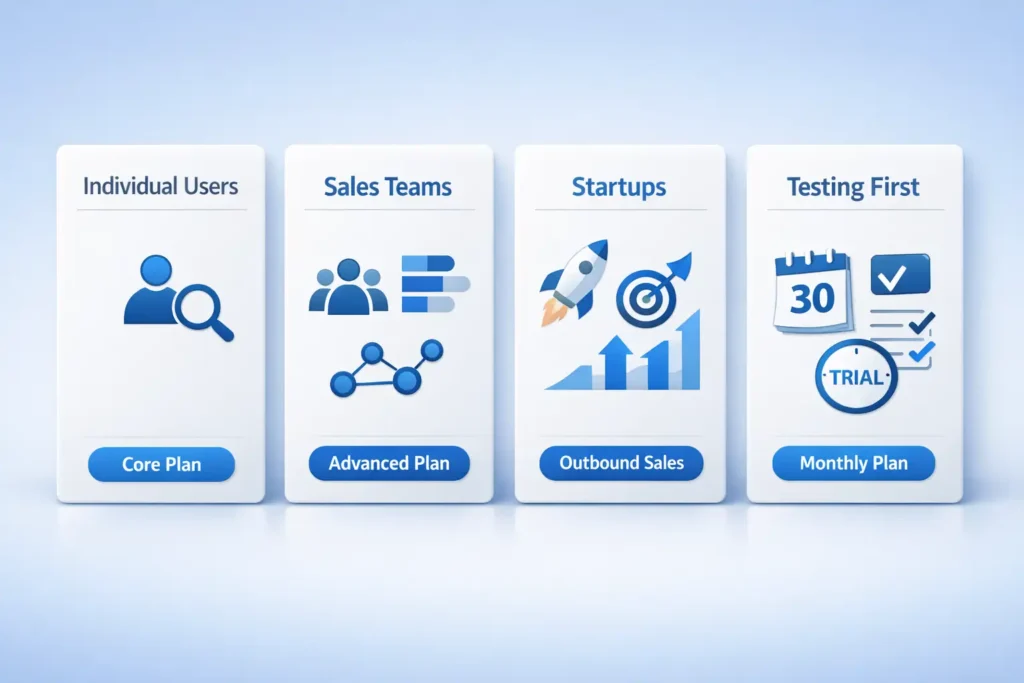
Best option for individual users
For many solo users, Core with monthly testing first is often the smartest path. It gives enough features to understand how Sales Navigator works without making a long commitment too early. This is a practical choice for freelancers, consultants, and solo founders who want to test lead search and outreach before deciding on a bigger plan.
Best option for teams
For teams with an active outbound process, Advanced may offer better working value. It can make more sense when multiple people are involved in prospecting, account tracking, and pipeline building. Instead of using separate loose methods, teams can work in a more organized way and get better value from the subscription over time.
Best option for startups
For startups, buy only when the outreach process is already taking shape. Sales Navigator works better when the team already knows its target market, offer, and sales approach. If a startup buys it too early without a clear plan, the tool may feel costly and underused rather than useful.
Best option if you want to test before paying long term
Start with the monthly route and use that time to see how well the platform fits your workflow. This helps you understand whether the features are truly helping with lead generation, targeting, and outreach. Once you see regular use and real value, it becomes much easier to decide if a longer plan is worth it.
Conclusion
If you came here looking for linkedin sales navigator pricing, the most useful takeaway is this:
Do not judge Sales Navigator only by cost. Judge it by fit, usage, and return.
That is the real way to make a smart decision.
For some users, the sales navigator monthly plan is the best first step because it lowers commitment and makes testing easy. For other users, linkedin sales navigator annual pricing makes more sense because the tool is already part of their sales process.
If you are comparing sales navigator vs premium pricing, remember this:
- Premium is for wider LinkedIn use
- Sales Navigator is for focused sales work
If you are checking linkedin sales navigator price in india, do not look only at affordability. Look at whether one client, one deal, or one good pipeline month can justify the subscription.
And if you are still asking is sales navigator worth it, the answer is simple:
It is worth it for people who use it with clarity, discipline, and purpose.
It is not worth it for people who buy it too early, use it casually, or expect results without a system.
So before buying, ask yourself:
- Who do I want to reach?
- How often will I use it?
- Do I really need Sales Navigator, or is Premium enough?
- Can this tool support real business results for me?
When you answer those questions honestly, the right plan becomes much easier to choose.