Choosing Adobe is easy when you know you need professional tools. The confusing part starts when you look at the plans. Many people search Adobe Creative Cloud Pricing because they want one clear answer, but Adobe does not always feel simple at first glance. There are different plan types, billing options, and user categories, and that is where most buyers start comparing instead of deciding.
Some users only want Photoshop. Some want the full app bundle. Some are students trying to save money. Others are freelancers, content creators, or teams who need a setup that feels worth paying for every month. That is why this guide matters.
In this blog, we will break things down in a very practical way. You will understand what Adobe Creative Cloud includes, how the subscription works, which plan suits different users, and why many people get stuck between monthly and annual billing. We will also talk about Adobe Creative Cloud Price in India, student options, Photoshop-only buying decisions, and the cheapest way to buy Adobe Creative Cloud without making the wrong choice.
The goal is not to throw numbers at you. The real goal is to help you understand value, fit, and buying logic so you can make a smarter decision.
What Is Adobe Creative Cloud and What Does the Subscription Include?
Adobe Creative Cloud is Adobe’s subscription-based platform that gives access to creative apps, cloud storage, updates, fonts, libraries, and connected workflows. Instead of buying old-style one-time software, users now pay through a recurring plan.
For many people, Adobe is not just one app. It is a full creative system. That system may include tools for:
What Tools are included in Adobe Creative Cloud?
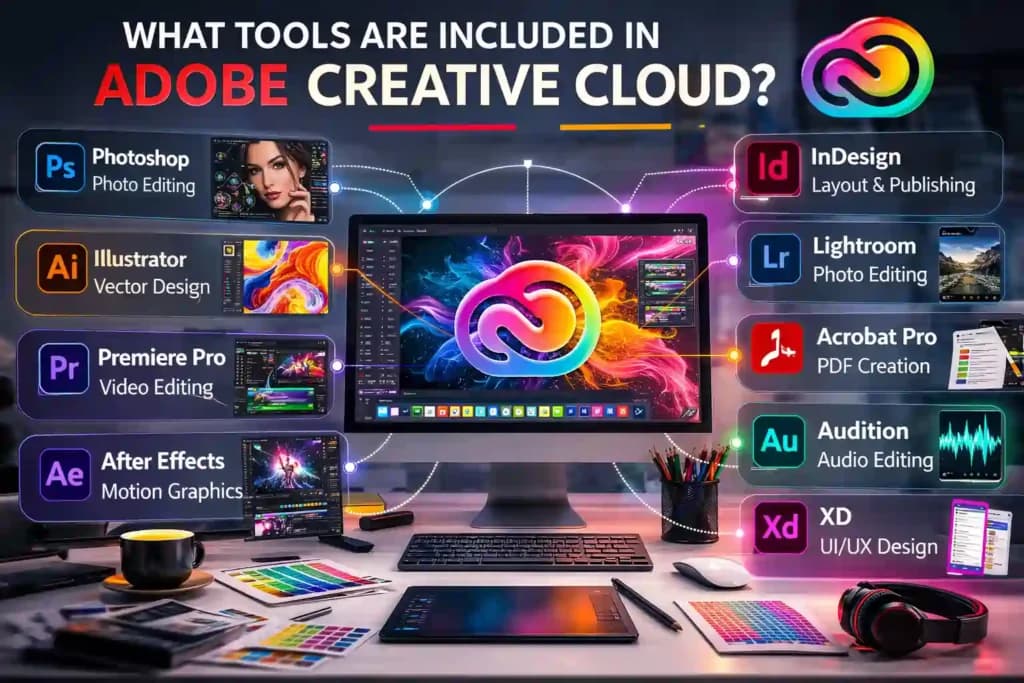
Depending on the plan you choose, Adobe Creative Cloud can include tools like:
- Photoshop – photo editing and compositing
- Illustrator – vector design and illustrations
- Premiere Pro – video editing
- After Effects – motion graphics and visual effects
- InDesign – layout and publishing design
- Lightroom – photo organization and editing
- Acrobat Pro – PDF creation and editing
- Audition – audio editing
- XD – UI/UX prototyping
- Animate, Dreamweaver, Rush, and more
The full plan gives you all of these. Single-app plans give you just one.
This is why Adobe Subscription Price feels important to buyers. You are not only paying for one install button. You are often paying for speed, workflow, app connection, and industry familiarity.
Why Adobe Creative Cloud is popular among designers, editors, and creators
Adobe remains a top choice because it fits real work. Designers, editors, marketers, agencies, photographers, and students already know the app ecosystem. Files move more smoothly between products. Teams understand the tools. Tutorials are everywhere. Employers know the software.
That is also why people keep comparing Adobe CC Cost with value instead of only looking at the billing amount. Adobe is often judged not only by price, but by how much work it helps complete.
🔥 LinkedIn Premium Business Plan 12 Months
Original Price ₹23,000 • Get it ₹8XXX
🤖 Gemini AI Advanced Pro Plan
Original Price ₹19,500 • Get it ₹8XXX
💼 LinkedIn Sales Navigator Core
Original Price ₹80,000 • Get it ₹2XXXX
🎨 Canva Pro Lifetime Access
Original Price ₹3,999 • Get it ₹4XX
📚 Coursera Plus Annual Plan
Original Price ₹33,000 • Get it ₹2XXX
✨ Adobe Creative Cloud All Apps
Original Price ₹59,000 • Get it ₹4XXX
How Much Does Adobe Creative Cloud Cost in 2026?
This is one of the biggest search queries online. People want to know the real cost before they commit. But the answer depends on what kind of user you are and what you actually need.
Adobe Creative Cloud full plan pricing breakdown
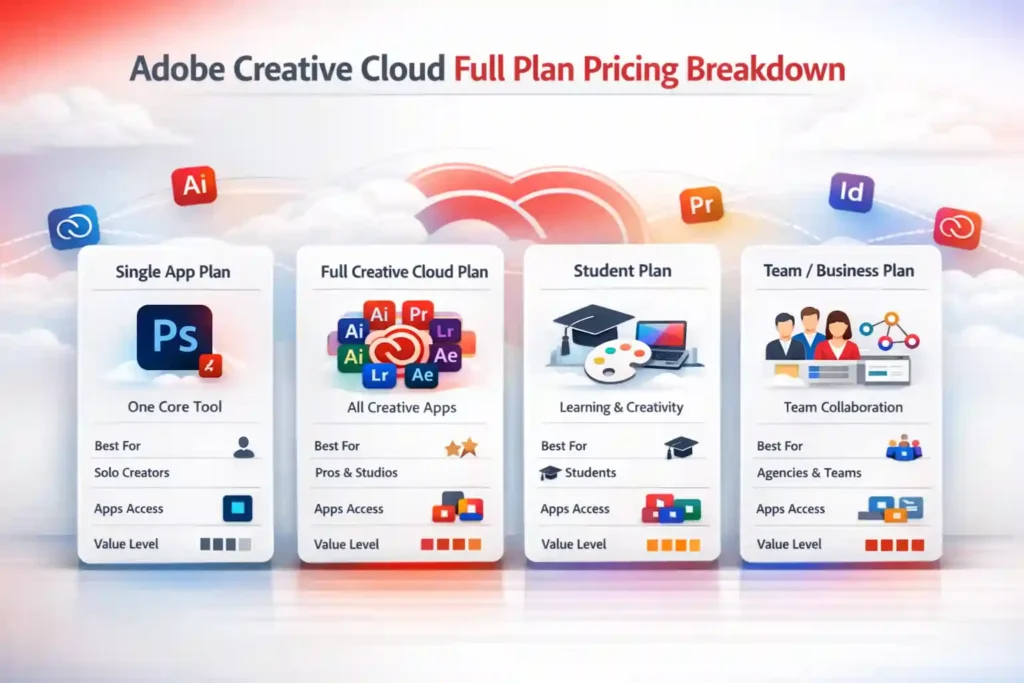
Adobe usually separates users into a few simple groups:
| Plan Type | Best For | What You Usually Get | Cost Feeling |
| Single App Plan | Users who need one main tool | One Adobe app plus related benefits | Lower entry point |
| Full Creative Cloud Plan | Professionals needing multiple apps | Access to the full app ecosystem | Higher but broader value |
| Student Plan | Students and eligible learners | Discounted access with learning appeal | Better value for learners |
| Team / Business Plan | Agencies and teams | Collaboration and admin controls | Higher, but business-focused |
This is the easiest way to understand the Adobe Full Plan Pricing Breakdown without getting lost. The more flexibility and more apps you want, the more premium the subscription feels.
Adobe single-app plan pricing vs full Creative Cloud plan
A single app plan may suit someone who mainly edits photos, designs social posts, or works in one skill area. A full plan is more useful for people who move between design, video, branding, documents, and content production.
That is why many people ask:
- Do I need only Photoshop?
- Do I need more than one Adobe app?
- Am I paying for tools I will never use?
These questions matter more than the number itself.
Also Read – Canva Pro vs Free: Which Version Is Better in 2026?
Adobe Creative Cloud Price in India: What Indian Users Should Know
When users search Adobe Creative Cloud Pricing in India, they are usually trying to answer one deeper question: “Will this feel affordable for my type of work?”
That question is valid. In India, buyers are often more value-conscious. They compare every recurring tool carefully. A subscription that feels normal to an agency may feel heavy for a student or solo creator.
Important things Indian users should keep in mind
- Pricing may feel different after taxes and final billing
- International pricing comparisons can confuse Indian buyers
- Promotions may change what looks attractive at checkout
- Annual commitment can feel lighter over time, even if it looks bigger in the beginning
- Some users buy too much too early and regret it later
So when people ask how much does Adobe CC cost in India, the better question is this: “How much value will I actually use from the plan?”
That shift in thinking helps a lot. Instead of chasing a number, you focus on the outcome.
How much does Adobe CC cost in India compared to global pricing?
Indian users often compare Adobe with local alternatives, lower-cost tools, or one-time software options. That makes Adobe seem expensive faster. But for people doing paid design work, editing client content, running an agency workflow, or working on serious portfolio building, the equation changes.
In simple terms, Adobe Creative Cloud Pricing matters most when your work depends on quality, compatibility, speed, and trust.
🔥 LinkedIn Premium Business Plan 12 Months
Original Price ₹23,000 • Get it ₹8XXX
🤖 Gemini AI Advanced Pro Plan
Original Price ₹19,500 • Get it ₹8XXX
💼 LinkedIn Sales Navigator Core
Original Price ₹80,000 • Get it ₹2XXXX
🎨 Canva Pro Lifetime Access
Original Price ₹3,999 • Get it ₹4XX
📚 Coursera Plus Annual Plan
Original Price ₹33,000 • Get it ₹2XXX
✨ Adobe Creative Cloud All Apps
Original Price ₹59,000 • Get it ₹4XXX
Which Adobe Creative Cloud Plan Is Best for You?
There is no universal best plan. The right plan depends on what kind of work you do and how often you do it.
Choose a single app plan if:
- You mainly use one Adobe product
This option works best when your work depends on just one tool, such as Photoshop, Illustrator, or Premiere Pro, and you do not need access to the full Adobe ecosystem. - Your workflow is simple
If your daily tasks are limited to one specific type of creative work, a single app plan can give you what you need without making your subscription feel bigger than necessary. - You are exploring Adobe for a focused need
This is a smart starting point for users who want to test Adobe for a particular purpose, like photo editing or design, before committing to a broader plan. - You want a smaller commitment in the beginning
A single app plan often feels easier for first-time users because it lets you start with a more focused setup instead of paying for tools you may not use right away.
Choose the full Creative Cloud plan if:
- You work across design, image, video, PDF, and branding tasks
If your work covers multiple creative areas, the full plan gives you more flexibility and keeps you from getting stuck when a project suddenly needs more than one Adobe app. - You want flexibility without upgrading later
This plan is useful for people who do not want to keep switching or upgrading plans every time their work grows or their creative needs change. - You are a freelancer taking different types of client work
Freelancers often handle mixed projects, so having access to multiple Adobe apps can make it easier to manage different client demands without limitations. - You prefer having the full ecosystem ready
The full plan is a better choice when you want everything in one place and like the idea of having Adobe’s connected tools available whenever you need them.
Choose the student option if:
- You are eligible for education pricing
If you qualify as a student or learner, this plan can be one of the best ways to access professional Adobe tools at a much more comfortable entry point. - You want to build skills using professional tools
It is a strong choice for students who want hands-on learning with industry-recognized software that can help with portfolios, assignments, and future job opportunities. - You want the most feature access at a lower feeling of cost
For many learners, the student plan offers a better balance between access and affordability, making it easier to explore more tools without feeling overburdened.
Choose a team plan if:
- Multiple people need access – A team plan makes more sense when more than one person is working on projects, because it supports shared access and a smoother workflow across users.
- You manage client work or internal creative systems – This plan is useful for agencies, businesses, or departments that need better control over assets, projects, and creative processes across multiple team members.
- Brand control and collaboration matter – When consistency, shared files, and collaboration are important, a team plan can help everyone stay aligned and work more efficiently together.
This is where which plan is best becomes more useful than only asking about adobe subscription price.
Also Read – Canva vs Adobe Express – Which Design Tool Wins?
Adobe Photoshop Pricing: How Much Does Photoshop Cost Separately?
A huge number of people search Adobe photoshop Pricing because Photoshop is still one of Adobe’s most recognized products. For some users, it feels like the only app they need.
That can be true, but not always.
Photoshop-only makes sense when:
- your main work is photo editing
- you create thumbnails, posters, product edits, or social graphics
- you do not need advanced video, illustration, or publishing tools
- you want to enter Adobe at a smaller level
The full plan makes more sense when:
- you use more than one creative format
- you may need Illustrator, Premiere Pro, Acrobat, InDesign, or other Adobe tools later
- you do client work that changes from project to project
- you want fewer upgrade decisions later
This is why Photoshop-only buyers often start by saving money but later move to the broader bundle. At first, Photoshop feels enough. Over time, real work becomes more connected. So when looking at adobe photoshop pricing, do not only ask, “Is Photoshop cheaper?” Also ask, “Will Photoshop still be enough after three months of real work?”
🔥 LinkedIn Premium Business Plan 12 Months
Original Price ₹23,000 • Get it ₹8XXX
🤖 Gemini AI Advanced Pro Plan
Original Price ₹19,500 • Get it ₹8XXX
💼 LinkedIn Sales Navigator Core
Original Price ₹80,000 • Get it ₹2XXXX
🎨 Canva Pro Lifetime Access
Original Price ₹3,999 • Get it ₹4XX
📚 Coursera Plus Annual Plan
Original Price ₹33,000 • Get it ₹2XXX
✨ Adobe Creative Cloud All Apps
Original Price ₹59,000 • Get it ₹4XXX
Adobe CC Monthly vs Annual Plan: Which One Makes More Sense?
Adobe CC monthly vs annual plan pricing comparison
One of the most important comparisons is Adobe cc monthly vs annual plan. This is where many users pause, because the choice affects both flexibility and long-term value.
When a monthly Adobe plan makes more sense:
- you want less commitment
- you are testing Adobe for short-term use
- you only need it for one project or season
- you are not fully sure Adobe fits your workflow
When a Annual Adobe plan makes more sense:
- Adobe is already part of your work
- you use creative tools every week
- you care about better long-term value
- you want a more stable workflow
The reason the annual option attracts so many people is simple. It often feels smarter over time, even if the idea of commitment scares buyers in the beginning. That is why adobe annual plan cost becomes a serious research topic for professionals and students who already know they will stay in the ecosystem.
What users often get wrong
Many people compare only the first payment feeling. They do not compare the actual use period. A monthly decision can feel safer. An annual plan can feel heavier. But in real life, people who use Adobe every week usually care more about consistency and overall value than short-term freedom. That is why the adobe cc monthly vs annual plan conversation is not only about money. It is also about confidence.
Why Is Adobe Creative Cloud Expensive for Some Users
There is a reason so many people search adobe cc cost again and again. Adobe often feels expensive because it is not priced like a casual app. It is positioned like a professional work tool.
Adobe Creative Cloud pricing sits at a level that professionals can justify with their income, but for students, hobbyists, or people in developing markets, it can feel steep. There is no one-time purchase option anymore. You pay every month, every year, indefinitely – and if you stop paying, you lose access to your projects inside Adobe’s ecosystem.
That can create tension for buyers.
A beginner might think:
Why should I pay this much when free tools exist?
A freelancer might think:
Can I recover this from client work?
A student might think:
Is this worth it for learning?
A professional might think:
Will this speed up my work enough to justify the subscription?
These are all fair questions.
Why many users still choose Adobe
Even when Adobe feels costly, many users stay because of:
- industry trust
- file compatibility
- strong app ecosystem
- professional output
- regular updates
- easier collaboration with clients and teams
So yes, adobe creative cloud pricing may feel high to some users, but the buying logic becomes stronger when work quality and workflow matter.
Also Read – Canva vs Visme – Best for Business Graphics?
Who Should Buy Adobe Creative Cloud and Who May Not Need It?
This is where honest buying advice matters.
Adobe Creative Cloud is a strong choice for:
- Graphic designers – Adobe Creative Cloud is a strong choice for graphic designers because it supports everything from logos and branding to social media posts, packaging, and marketing creatives in one connected workflow.
- Photographers – Photographers benefit from Adobe because it helps them manage, edit, retouch, and enhance images with professional control, making it useful for both client work and personal portfolios.
- Video editors – For video editors, Adobe is a practical option because it supports editing, motion work, visual effects, audio cleanup, and export workflows that are often needed in real content production.
- Branding professionals – Branding professionals often need tools for visual identity, layout, presentations, mockups, and brand assets, and Adobe makes that process more organized and consistent across projects.
- Agencies – Agencies usually handle different creative tasks for multiple clients, so Adobe works well because it offers flexibility, professional output, and smoother file handling across team workflows.
- Social media creatives – Social media creatives can use Adobe to create eye-catching posts, reels, ad creatives, banners, and campaign visuals that need to look polished and platform-ready.
- Content teams – Content teams often work across graphics, documents, video, presentations, and branded materials, so Adobe is useful when many content formats need to be created under one system.
- Serious students building careers – Students who want to build real-world creative skills often choose Adobe because it helps them learn industry-standard tools that are valuable for internships, freelance work, and future jobs.
You may not need the full plan if:
- you design only once in a while
- you use one creative tool once a month
- your work is basic and low-frequency
- you are still learning whether creative work is a hobby or career path
Some buyers make the mistake of choosing the biggest plan just because it sounds professional. That is not always smart. The right plan is the one you will actually use.
So who should buy Adobe Creative Cloud? People whose work benefits from professional-level tools. And who should not rush into it? People who still need clarity before commitment.
Where Can You Buy Adobe Creative Cloud Safely?
When people ask where to buy Adobe, they usually mean one of two things:
- where can I buy it without confusion
- where can I get better value without risk
Buying directly from Adobe feels official and straightforward. But many users also look for trusted sellers, support-based buying help, or better guided options when choosing a plan.
What to check before buying
- billing clarity
- plan type accuracy
- support availability
- invoice or purchase proof
- renewal understanding
- plan suitability for your use case
This matters because some buyers are not only choosing software. They are choosing peace of mind. That is also why people keep searching for the cheapest way to buy Adobe Creative Cloud. They are not just looking for the lowest number. They are looking for the safest smart deal.
Also Read – Canva vs Piktochart – Which is Best for Infographics?
Cheapest Way to Buy Adobe Creative Cloud Without Choosing the Wrong Plan
This is one of the most powerful search intents around Adobe. Everybody likes the idea of saving money. But the real mistake is saving in the wrong place.
The cheapest way to buy Adobe Creative Cloud is not always the plan with the smallest starting payment. Sometimes the cheaper-looking option leads to more upgrades, more confusion, and more cost later.
Smarter ways to save
- choose a single app if you truly need only one
- choose annual billing if you already know Adobe is part of your work
- use student eligibility if it applies to you
- avoid buying the full suite only for one small task
- think in workflow value, not just entry price
What most people should avoid
- buying the biggest plan for status only
- choosing short-term flexibility when long-term use is obvious
- ignoring student options
- paying for apps they never open
- rushing without understanding plan fit
That is how people overspend even when they think they are saving.
Adobe Student Discount Pricing: How It Works and Who Can Use It
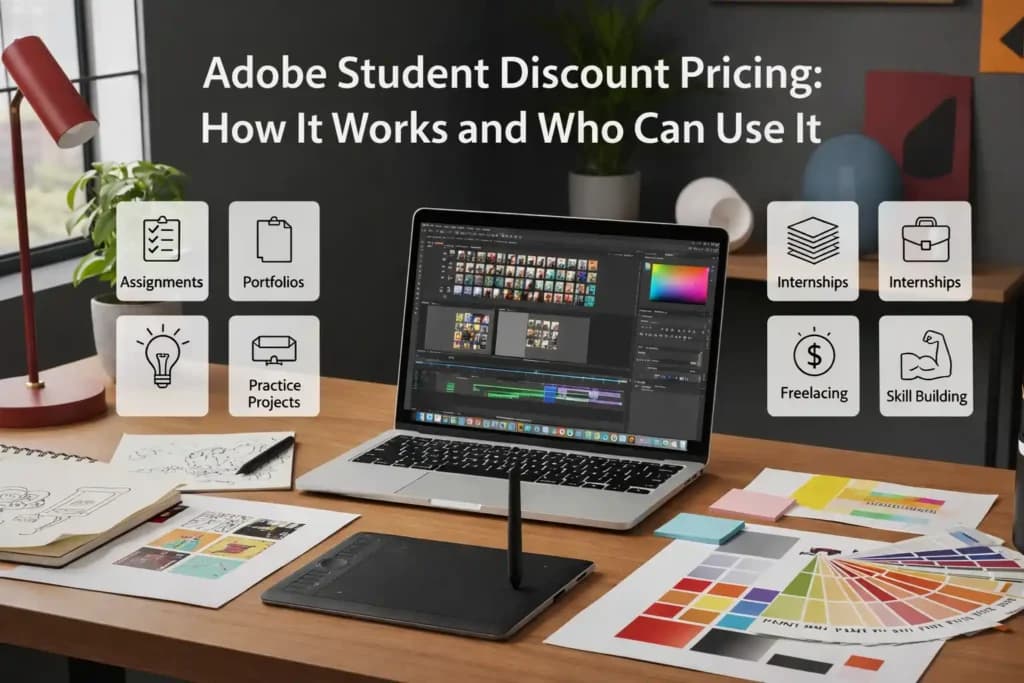
For eligible learners, adobe student discount pricing is often the most attractive entry point into the Adobe ecosystem. Students usually want access to professional tools without carrying the full weight of a standard plan.
That makes sense.
Why student pricing matters
Students need software for:
- assignments
- portfolios
- internships
- practice projects
- freelancing experiments
- skill building
The value here is not only the lower barrier. It is also the opportunity to learn on tools that employers, agencies, and studios already recognize.
Who should seriously consider the student plan
- Assignments – Many academic projects require design, editing, presentation, or visual work, so having the right software makes it easier to complete assignments in a more polished and professional way.
- Portfolios – A strong portfolio is one of the most important things for students in creative fields, and professional tools help them create work that looks more serious, refined, and career-ready.
- Internships – Internships often expect basic familiarity with industry-standard tools, so students who already know how to use professional software usually feel more prepared and confident.
- Practice projects – Students improve faster when they keep practicing outside class, and good software gives them the freedom to test ideas, improve techniques, and build real hands-on experience.
- Freelancing experiments – Many students start with small freelance projects to earn, learn, and build confidence, and the right creative tools help them deliver better work to early clients.
- Skill building – Learning software is not just about one project or one semester. It is part of long-term skill building that can support internships, freelance work, job applications, and future career growth.
For many people, adobe student discount pricing is not just a cheaper plan. It is the easiest serious starting point. Absolutely, if you qualify. The gap between student pricing and standard individual pricing is wide enough that passing it up would be a financial mistake. Even if you only use Adobe casually during your studies, the cost is low enough to justify keeping the subscription active.
Also Read – Canva vs Figma – Which Is Better for Design Teams?
How to Choose the Right Adobe Subscription Based on Your Work
Let us make the decision easier.
For photo editing
Go with a focused setup if your work is mostly images, retouching, product edits, and visual content creation. It is purpose-built for photographers and gives you everything you need without paying for tools you will never open.
For graphic design
A broader plan may make more sense because design work often grows into illustration, layout, brand systems, and file export needs. Illustrator and Photoshop are the core tools. If these are your primary tools and nothing else, a combination of single-app plans can work.
For video editing
Look beyond one app. Video work often connects with motion graphics, sound cleanup, thumbnails, social cuts, and branded assets. Premiere Pro and After Effects are heavy hitters. Single-app plans for both would cost more than the full Creative Cloud in most cases, making the full plan the logical choice for video professionals.
For students and beginners
Start with the plan that gives you the most practical learning value without making the cost feel stressful. Get comfortable with one or two tools. Then expand when your work demands it.
For agencies and teams
Team plans are the right direction. You get admin controls, shared assets, and better support – things that matter when multiple people are working on the same projects. Choose structure, collaboration, file control, and professional continuity over entry-level savings.
This is the best way to understand which Adobe plan is right for you without being overwhelmed by plan pages and checkout screens.
Quick Comparison: What Matters More Than the Price Tag?
Here is the part many users skip.
| Question | Why It Matters |
| How often will I use Adobe? | Frequent use changes the value completely |
| Do I need one app or many? | This decides whether full-plan value is real |
| Is my work casual or professional? | Professionals recover cost differently |
| Am I eligible for student pricing? | This can change the whole decision |
| Do I care more about flexibility or value? | This helps settle monthly vs annual confusion |
Sometimes buyers do not need a cheaper plan. They need a more accurate one.
Want Adobe Access in a Smarter Way?
If you are still comparing plans and looking for a more guided way to choose, PremiumToolsHub helps users explore premium tools with better clarity, support, and a smoother buying experience. For users who care about value, assistance, and confidence before purchase, that extra guidance can make the decision much easier.
Check PremiumToolsHub.in to explore premium tools, compare plan value, and choose the option that fits your work better.
Adobe Creative Cloud Pricing FAQs
What is Adobe Creative Cloud?
Adobe Creative Cloud is Adobe’s subscription-based platform that gives users access to creative apps, cloud storage, regular updates, and connected tools. It is designed for people who work in design, photo editing, video editing, branding, and other creative tasks.
How much does Adobe CC cost in India?
The total cost of Adobe CC in India depends on the plan type, billing cycle, taxes, offers, and user category. Instead of looking only at the starting amount, most users should compare the overall value they are getting from the plan.
What is the Adobe annual plan cost?
The Adobe annual plan usually feels like a bigger commitment compared to a monthly option, but it often gives better value for users who need Adobe for regular work. For long-term users, it can feel more practical and cost-effective over time.
Is Photoshop cheaper than the full Adobe plan?
Yes, a Photoshop-only plan is usually lighter than the full Adobe Creative Cloud bundle. However, it is the better choice only when your work mainly depends on Photoshop and you do not need multiple Adobe apps.
Is Adobe student discount pricing worth it?
For eligible learners, yes. It is often the easiest way to access professional tools while building skills and a portfolio.
Final Verdict: Is Adobe Creative Cloud Worth It?
Adobe is not the right tool for everyone. But for the right user, it can be worth a lot more than it first appears. If you are a serious creator, freelancer, designer, editor, student building a portfolio, or a team handling client work, the value goes beyond just software access. You are paying for workflow, trust, compatibility, and speed.
That is why Adobe Creative Cloud Pricing should not be judged only by the number on the screen. It should be judged by what the plan helps you create, how often you use it, and whether it supports real work.
The simplest buying logic is this:
- Choose small if your need is small
- Choose broad if your work is broad
- Choose student value if you qualify
- Choose long-term value if Adobe is already part of your workflow
When buyers ask about adobe subscription price, adobe cc cost, adobe photoshop pricing, or how much does Adobe CC cost in India, they are really asking one deeper question:
“Which option gives me the best return for the kind of work I do?”
That is the question that leads to the smartest choice.